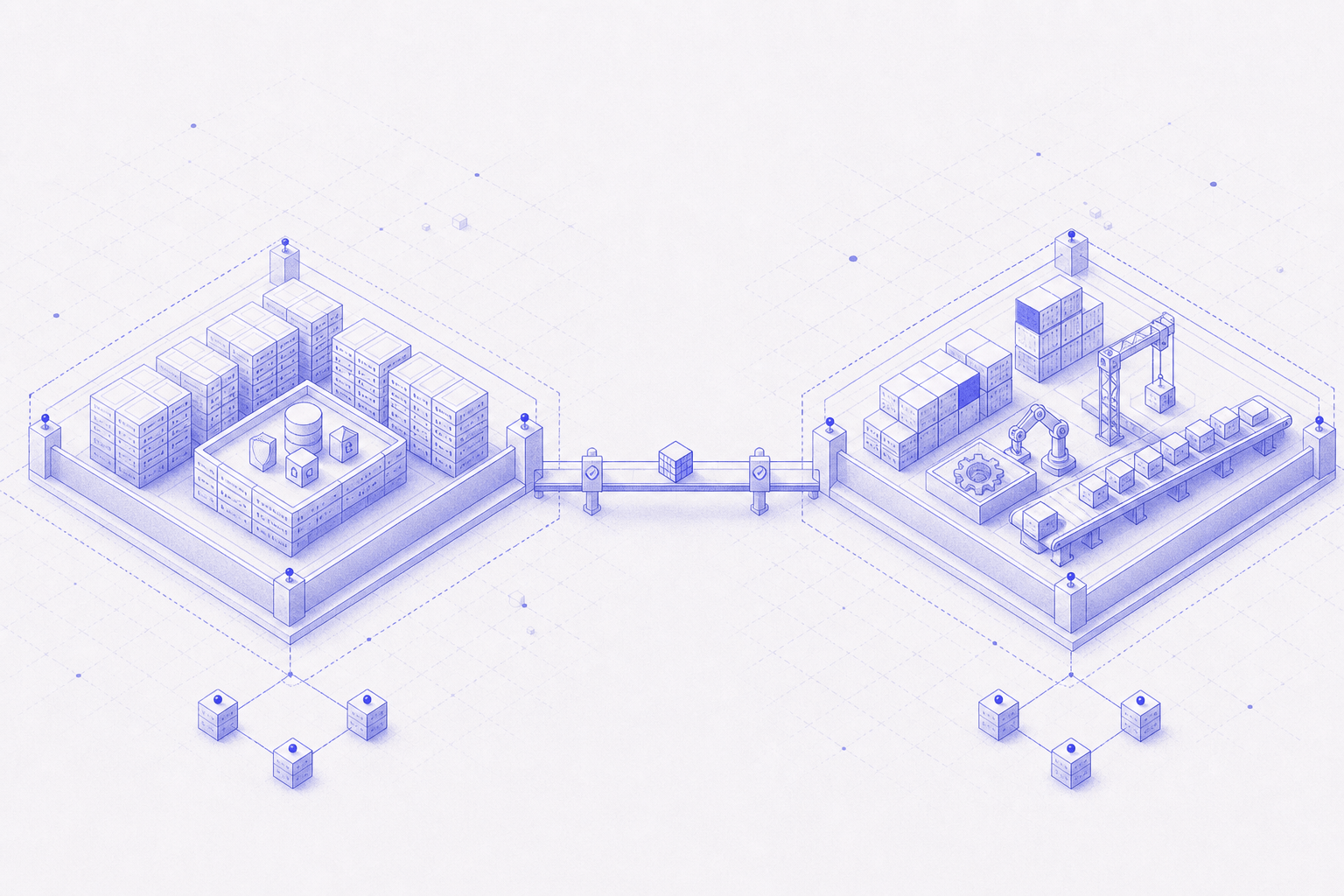
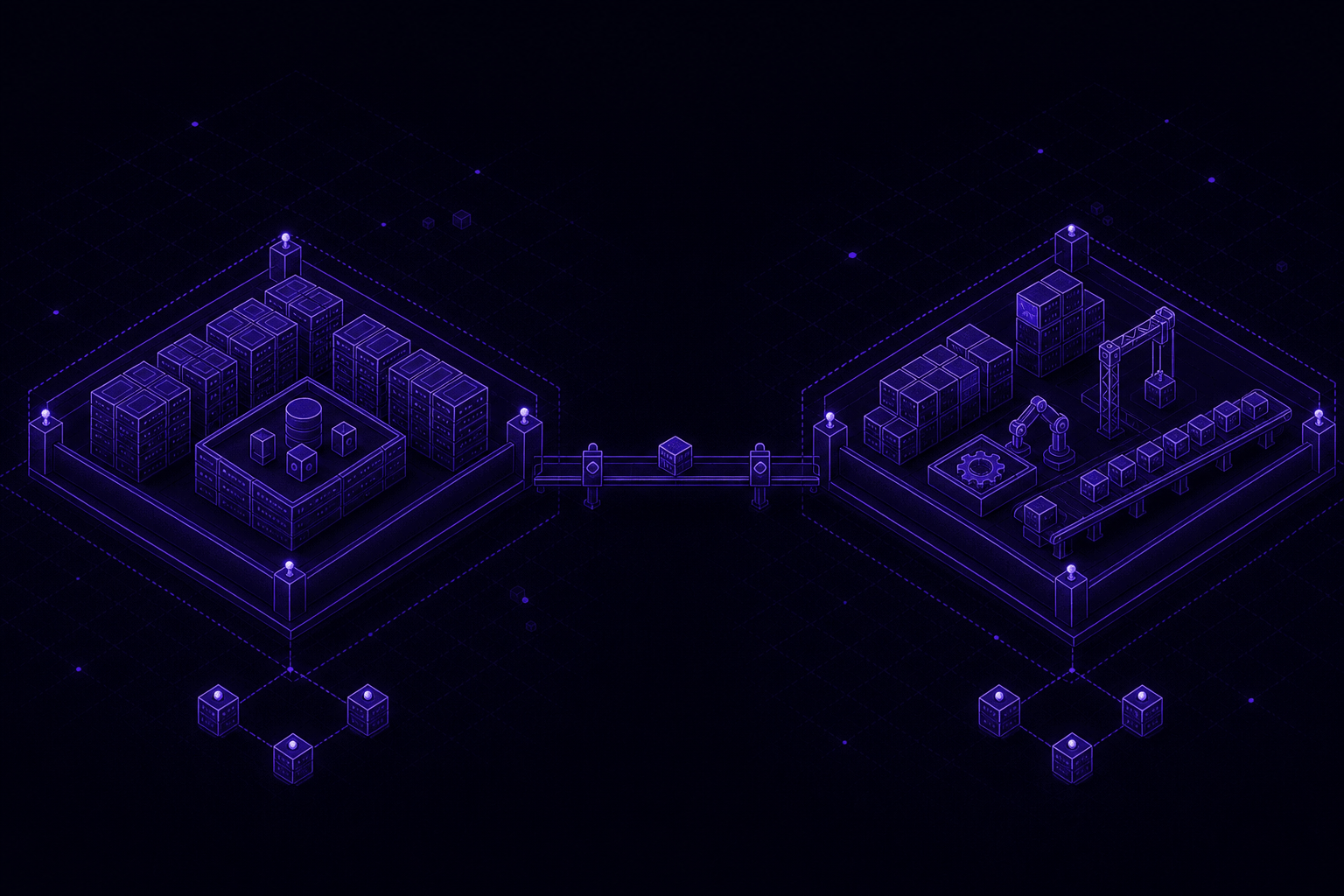
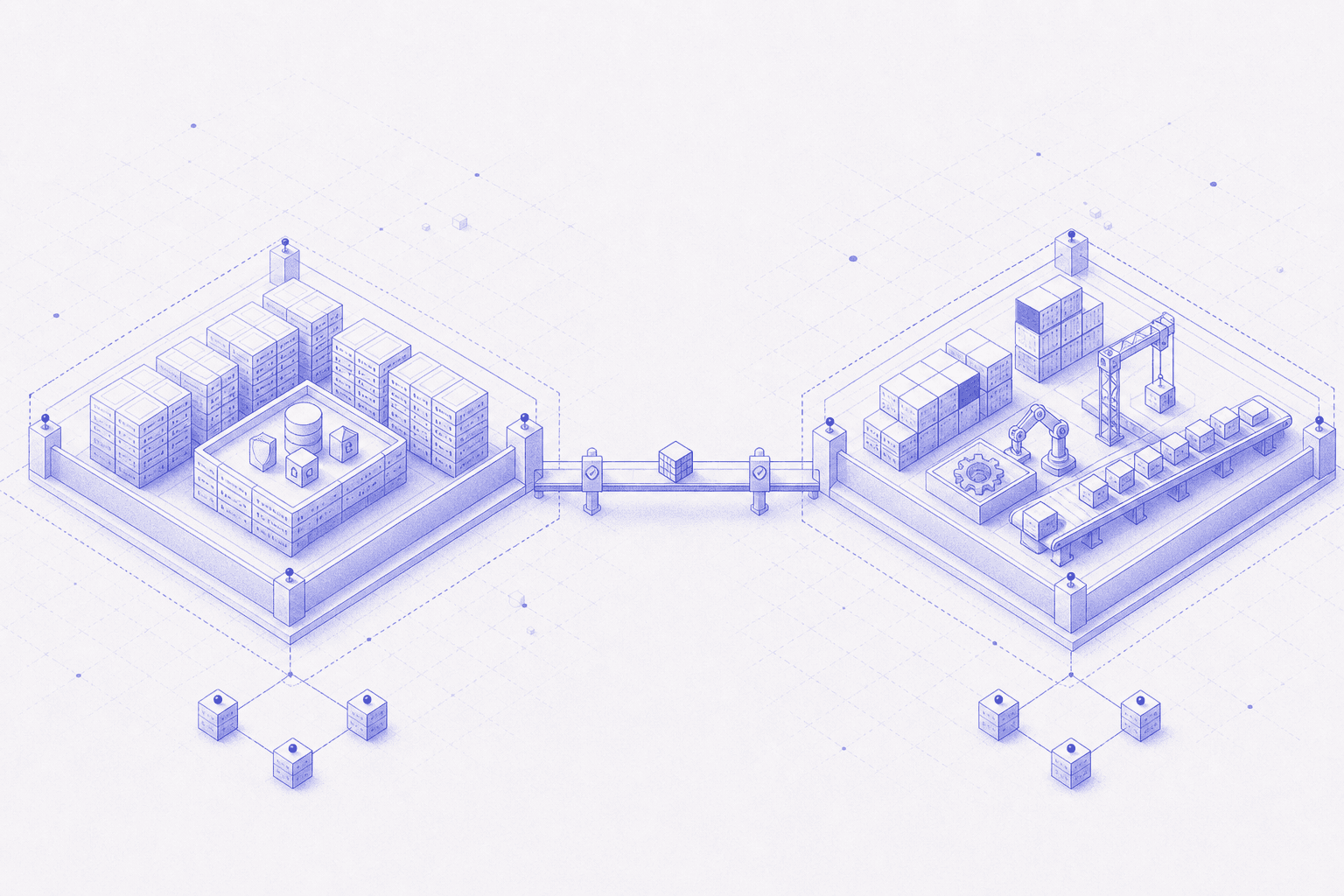
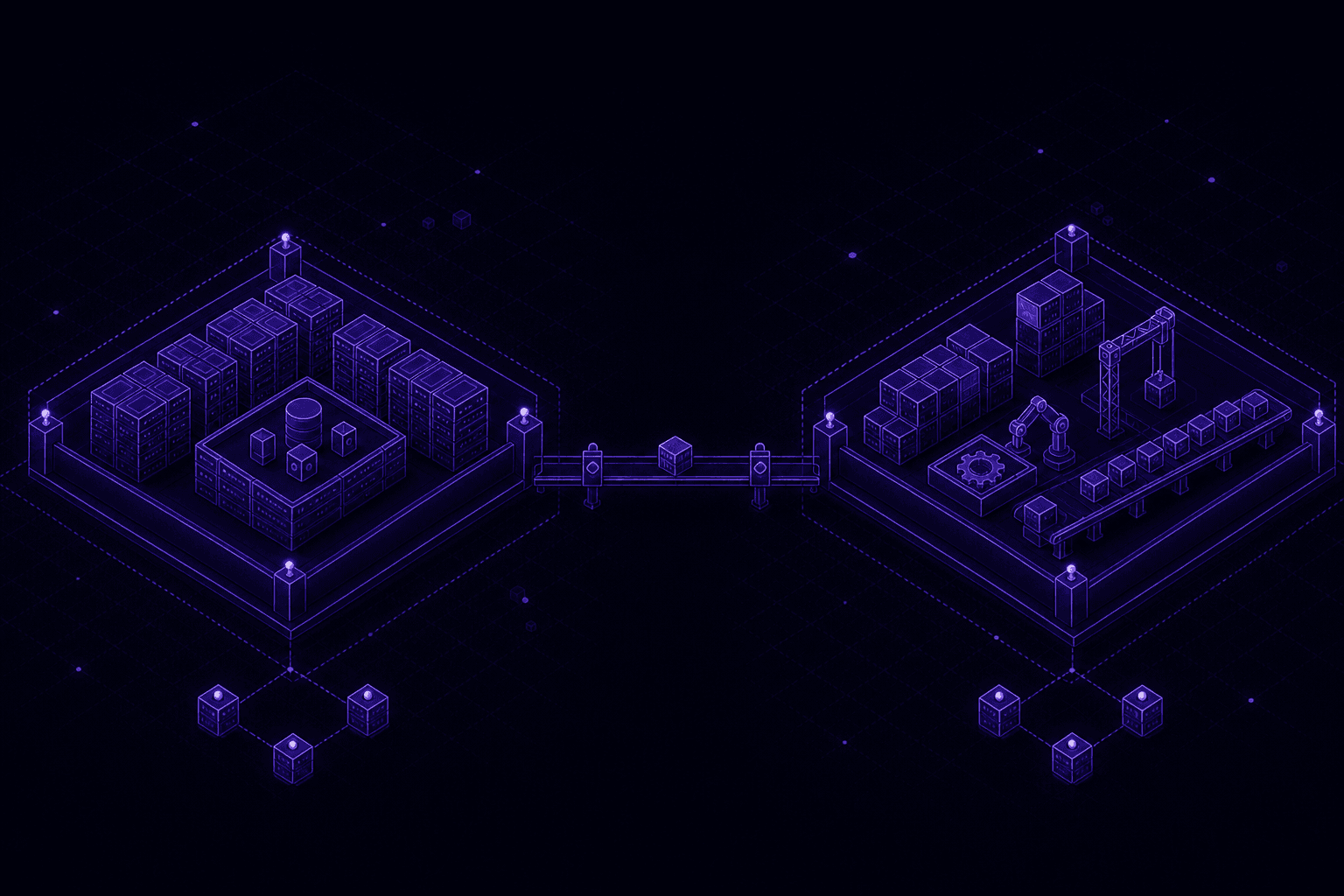

The riskiest thing in many Kubernetes clusters is not the API serving traffic. It is the CI job building your containers — running untrusted code with permissions that container isolation is designed to withhold.
In this post
You will learn:
- Why building a container inside a container is inherently risky, and what Docker-in-Docker actually does to your security model
- Why the CI build container — not the CI server — is the component that needs isolation in Kubernetes
- How to think about blast radius and why a dedicated CI cluster beats tightening IAM in place
- How to split production and CI with VPC peering and short-lived, chained cloud identities
- What it takes to operate etcd when you stand up that second cluster: quorum, defragmentation, backup/restore choreography, and peer TLS
If you already run BuildKit in a sidecar and know what Raft is, skip to The fix: two clusters, one narrow bridge. If you self-host etcd today, jump to Managing etcd: the layer underneath both clusters.
Why I started worrying about this
A few years ago I was looking at a fairly ordinary setup. A SaaS platform, one Kubernetes cluster, everything running where you'd expect: an API service handling customer traffic, background workers chewing through a queue, RabbitMQ sitting between them, and a CI server that builds and pushes a new Docker image every time someone deploys.
That last one is the one I want to talk about.
To build a container image inside a container, the CI server runs a BuildKit sidecar, and that sidecar needs a security profile set to Unconfined. Not because anyone was careless. Rootless image builds genuinely need that level of access to do their job — it's the cost of doing the thing at all, not a mistake someone made.
Here's the part that took me longer to notice: it's not really a problem that the sidecar needs broad permissions. It's a problem where it's sitting while it has them. Same cluster. Same nodes. Same reach into the secrets store as everything else — database URLs, JWT secrets, OAuth credentials — all one hop away from a component whose entire job description is "run instructions from a script someone wrote."
Nobody designed it that way on purpose. It's just what happens when a project grows normally, one service at a time, on one cluster, because that's the sensible default until it isn't.
So I want to walk through the fix: giving the CI workload its own cluster, its own network, and exactly one narrow, audited doorway back into production. Not because every team needs this on day one — most don't — but because there's a specific moment when a shared cluster quietly turns into shared risk, and it's worth being able to recognize that moment when it arrives.
Why Docker-in-Docker is risky
Before I get to the fix, it's worth slowing down on why the build sidecar needs Unconfined at all, because the reason is more specific than "building software needs a lot of permissions."
Building a Docker image means creating a new filesystem layer, a new set of namespaces, and eventually a new container — using the exact same kernel primitives (namespaces, cgroups, overlay filesystems) that the host's container runtime uses to isolate everything else running on that node. You're not calling a high-level API to build an image. You're doing the same low-level work the container runtime does, from inside a container that's supposed to be sandboxed.
BuildKit's rootless documentation spells out why Kubernetes deployments typically require seccomp=unconfined and apparmor=unconfined: syscalls like unshare and mount operations that snapshotters need are blocked by default profiles.
Three ways people make it work — and what each costs
| Approach | How it works | What you give up |
|---|---|---|
| Privileged Docker-in-Docker (DinD) | Run a nested dockerd inside the build pod with --privileged, or mount /var/run/docker.sock from the host | Root-equivalent access to every container on that node — including production pods sharing the same socket |
| Rootless BuildKit | BuildKit daemon in a sidecar; creates user namespaces and overlay mounts from inside the pod | Seccomp and AppArmor profiles loosened to Unconfined for the syscalls that create namespaces and mount filesystems |
| Daemonless builders (Kaniko, Buildah) | Execute build steps in userspace without a long-running daemon; no nested dockerd | Still needs to extract archives, write layers, and sometimes chroot/unshare — reduced attack surface, not zero privilege |
Privileged DinD
Nested dockerd or host socket mount — root-equivalent access to every container on the node.
Rootless BuildKit
User namespaces from inside the pod — seccomp and AppArmor loosened to Unconfined for build syscalls.
Kaniko / Buildah
Daemonless layer writes — smaller attack surface, but still privileged enough to build arbitrary code.
Rootless BuildKit is meaningfully better than mounting the Docker socket. But "meaningfully better" isn't the same as "safe by default."
What actually goes wrong
A normal, compromised container is still boxed in by the kernel's isolation. A build container that's allowed to create namespaces has, by design, a door in that wall. Consider three concrete failure modes:
1. Socket mount = host compromise
If the build pod mounts the host Docker socket:
# Do not do this on a shared node pool
volumeMounts:
  - name: docker-sock
    mountPath: /var/run/docker.sock
volumes:
  - name: docker-sock
    hostPath:
      path: /var/run/docker.sock
Any process inside the build container can talk to the host's Docker daemon. From there it can start a privileged container, mount the host filesystem, read /var/lib/kubelet/pods/... (where Kubernetes stores mounted secrets), or kill neighboring containers. This isn't theoretical — it's how breakout demos work at every security conference.
2. Malicious build scripts and supply-chain pulls
CI pipelines routinely execute code you didn't write: npm install, pip install, curl | bash in a Dockerfile RUN line. A compromised dependency doesn't need a zero-day in Kubernetes. It needs to run inside a pod that already has permission to create namespaces, write to a registry credential, or reach the metadata service. The build environment is the highest-trust place for the lowest-trust code.
3. Layer cache and cross-tenant bleed
On shared builders, layer cache directories can leak information between builds if isolation is imperfect. A build that runs as root inside an insufficiently isolated namespace can read cached layers from a previous tenant's build. Multi-tenant CI platforms spend enormous effort on this problem; a single-team cluster often doesn't, because "we trust our developers" — until a dependency doesn't.
None of this is an argument against building images inside Kubernetes. There isn't really another way if you want rootless, cacheable, in-cluster builds. It's an argument for treating "this pod can create namespaces" as a fact that changes where it's allowed to live, not a detail to shrug off once BuildKit is configured and the pipeline is green.
Why the CI build container deserves its own pod — and its own cluster
It's worth being precise about what's actually asking for these permissions, because it's not the CI server.
Tools like Jenkins, GitLab Runner, GitLab CI, Drone, or GitHub Actions runners mostly orchestrate: they check out code, schedule jobs, and report results. The component that needs elevated access is a separate, short-lived build container — a BuildKit, Kaniko, or Buildah pod — that exists only to construct the image and then exit.
Anatomy of a typical in-cluster build
That separation matters twice over:
- Inside one cluster, keeping the build step in its own short-lived pod means elevated permissions exist only for the seconds or minutes a build runs — not for the entire lifetime of the CI server process.
- Across clusters, the only thing that needs to leave the CI cluster's blast radius is a built image and a status code — not a component that also needs standing access to the same secrets store as production traffic.
What a CI build pod actually looks like
Here's a simplified BuildKit sidecar pattern (the Unconfined profile is the part that should make you pause):
apiVersion: v1
kind: Pod
metadata:
  name: image-build
  namespace: ci
spec:
  restartPolicy: Never
  containers:
    - name: buildkit
      image: moby/buildkit:rootless
      securityContext:
        seccompProfile:
          type: Unconfined
        appArmorProfile:
          type: Unconfined
        runAsUser: 1000
        runAsGroup: 1000
      volumeMounts:
        - name: buildkit-cache
          mountPath: /var/lib/buildkit
    - name: buildctl
      image: my-app-builder:latest
      command: ['buildctl', 'build', '...']
  volumes:
    - name: buildkit-cache
      emptyDir: {}
Compare with Kaniko, which avoids a daemon but still runs as root in many setups and needs to write full filesystem layers:
containers:
  - name: kaniko
    image: gcr.io/kaniko-project/executor:latest
    args:
      - --dockerfile=Dockerfile
      - --context=dir:///workspace
      - --destination=123456789.dkr.ecr.us-east-1.amazonaws.com/app:sha-abc123
    volumeMounts:
      - name: workspace
        mountPath: /workspace
      - name: docker-config
        mountPath: /kaniko/.docker
Both patterns share the same architectural question: this pod builds arbitrary code and talks to your registry. Where should it run?
Dedicated build pod
Elevated seccomp only for job duration — still shares nodes, RBAC, and secrets scope with production.
Dedicated node pool
Build CPU and memory off app nodes — same cluster API, service account tokens, and etcd.
Dedicated cluster
Separate etcd, secrets, and network — second control plane (managed or self-hosted).
Put those together and the pattern in this article isn't about distrusting your CI tool. It's about recognizing that one narrow, well-understood, necessarily-privileged component exists inside your pipeline — and giving it a home that matches what it actually needs to do.
Why isolation matters: blast radius, trust boundaries, and defense in depth
"Isolation" gets used loosely. In this context it means three specific things.
1. Blast radius
If a build pod is compromised, what else becomes reachable in the same move?
On a shared cluster, the answer is uncomfortably large:
- Every Secret and ConfigMap the CI service account can read
- The Kubernetes API (often broader than you remember)
- Cloud metadata and IAM credentials attached to the node or pod
- Other pods on the same node via shared kernel resources
- The container registry (push access = supply-chain pivot)
On a dedicated CI cluster, the answer shrinks:
- Build cache and CI credentials — painful, but not customer data
- The registry push path — still a supply-chain concern, but scoped
- One narrow bridge role back to production — read-only, audited, short-lived
2. Trust boundaries
A trust boundary is where data or control crosses from one security domain to another. Your production cluster's trust boundary should assume: every pod might be hostile eventually. CI violates that assumption by design — it runs code from pull requests, forked repos, and dependencies nobody audited.
Putting CI inside the production trust boundary collapses two domains into one. The fix isn't "trust CI less"; it's "don't make production inherit CI's threat model."
The Kubernetes cluster hardening guide treats workload capability control and API access as first-class concerns — the same controls you're relaxing inside a build pod.
3. Defense in depth
Network isolation (separate VPC), identity isolation (separate IAM paths), compute isolation (separate nodes/clusters), and data isolation (separate secrets stores) stack. No single layer is sufficient:
- Tight IAM on a shared cluster still leaves noisy-neighbor CPU contention and shared node compromise
- A dedicated node pool still leaves shared Kubernetes RBAC and etcd
- A dedicated cluster still needs a controlled path to deploy — hence the narrow bridge
The rule underneath everything that follows
Most infrastructure advice tells you to lock things down after something goes wrong: audit the access, notice what's too broad, tighten it. That works, but it's reactive by definition.
The rule that actually changes how a system gets built comes first, not last:
Nothing talks to anything else unless you can name the exact reason it needs to.
That's genuinely the whole idea. Everything from here is what it looks like to actually follow that rule, instead of writing it in a design doc and moving on.
Key takeaway: Security-by-default beats security-by-audit. Deciding in advance what's allowed to talk to what is cheaper than discovering, after an incident, what shouldn't have been able to.
What a normal starting point looks like
Back to that SaaS platform. Four pieces, one cluster:
- API service — serves customer-facing traffic
- Background workers — process queued jobs
- RabbitMQ — the message queue between them
- CI server — builds and pushes container images on every deploy, using that unlocked BuildKit sidecar
I want to be clear that this isn't a mistake. Splitting infrastructure before you need to is its own kind of waste, and for a good while, one shared cluster is genuinely the right call.
But three things quietly stack up as the CI workload keeps growing:
- A noisy-neighbor problem. A burst of concurrent builds can starve the pods actually serving customers.
- A shared permission boundary. The CI server's identity can reach the same secrets store as everything else. Nothing technical stops it from reading any secret, only its own good behavior does.
- A shared failure domain. A bad release of some build tool can put pressure on the exact same nodes handling live traffic.
None of this is a five-alarm fire on any given day. It's slow, quiet risk accumulation — the kind that doesn't show up on a dashboard until the day it very much does.
Key takeaway: A single shared cluster is the right starting point for almost every project. The moment one workload runs less-trusted code than the others, though, "shared" quietly becomes "at risk" — and it's worth naming that moment when it happens, rather than after.
The fix: two clusters, one narrow bridge
The instinct might be to lock the CI server down harder, right where it sits. I don't think that's the fix. The fix is giving it somewhere else to be.
One cluster for everything customer-facing: API service, workers, queue. A separate cluster just for CI and its unlocked build sidecar. Separate networks, connected by exactly one private link, with exactly one identity allowed to cross from one side to the other — and that identity can do almost nothing once it gets there.
The private link doing the connecting here is VPC Peering: a direct, private network connection between two VPCs in the same cloud account and region. For exactly two VPCs in the same region, peering is usually the simplest, cheapest way to get private connectivity — no extra hops, nothing exposed publicly. If you had a mesh of many VPCs, you'd reach for something more scalable, like a Transit Gateway, instead.
Look at what's missing from that diagram: no shared node pool, no shared secrets scope, no "just in case, give it broad access" grant. The only path across the boundary is a single automation pod, holding a role that can do exactly one thing — assume one other role, and that other role can only look at the production cluster's API. Not touch anything in it. Look, don't touch.
Key takeaway: Connectivity and trust are two different decisions. Peering the networks answers "can these clusters reach each other." It says nothing about "what's either one allowed to do once it's there." Answer both, separately, on purpose.
How an identity actually crosses that boundary
There's a lazy way to do most of this, and it's worth naming it so you can recognize why we're not doing it.
The lazy way to let a pod call AWS APIs is to bake in an access key. The lazy way to let a pod in one cluster reach another cluster's API is to hand it a kubeconfig file. Both of those are long-lived credentials, sitting somewhere on disk, waiting for someone to leak them — in a log line, a screenshot, a commit that shouldn't have gone in.
Instead, this design uses short-lived AWS identities through EKS Pod Identity. A pod gets temporary, automatically rotated credentials tied directly to its Kubernetes service account. That one choice removes long-lived access keys from the picture entirely, while keeping permissions tightly scoped.
The bridge between the two clusters is two of these identity hops, stacked, each one scoped tight enough that you could explain it to someone in a single sentence:
Two hops sounds like more moving parts than one broad grant, and it is — that's the trade, made on purpose. Every hop shows up as its own separate, attributable event in the cloud audit trail. If something ever does go wrong, nobody has to guess which pod reached across the boundary. It's sitting right there in the log.
Key takeaway: Short-lived, identity-based credentials aren't just "more secure" in some abstract sense. They remove an entire category of incident — the leaked static key — from being possible at all, at roughly the same implementation cost as the credential they replace.
The build pipeline stays boring, on purpose
I deliberately didn't touch the CI tool itself, and I didn't add automatic deploys as part of this change. It's tempting to fix everything you notice at once, but bundling "isolate the risky workload" together with "rebuild the whole deploy pipeline" turns one small, reviewable, revertible change into one large, unreviewable one. The manual deploy step is a real gap worth closing eventually. It's just not this gap.
Key takeaway: A migration is easiest to review, and easiest to roll back, when it changes exactly one thing. Isolating a workload and improving its deploy process are two separate projects, even when they happen to touch the same files.
Managing etcd: the layer underneath both clusters
There's a layer of all this I haven't mentioned yet, and it's easy to forget because managed Kubernetes tries hard to hide it from you: every one of these clusters, production and CI alike, is backed by etcd — a distributed key-value store using the Raft consensus algorithm to keep every piece of cluster state (every pod spec, every Secret, every ConfigMap) agreed upon across multiple machines.
If you're on a fully managed control plane (EKS, GKE, AKS), the cloud provider runs etcd for you and you can mostly treat this section as background knowledge. But the moment any part of your platform runs a self-managed control plane — which becomes more likely once you're standing up a second, smaller cluster just for CI — you inherit etcd's operational demands directly. None of them are optional, and all of them are easy to get wrong quietly.
The etcd operations guide and disaster recovery documentation are the references I keep open when touching membership or restore.
Quorum maintenance
Odd-member Raft clusters; replace failed members one at a time — never drop a healthy node during an outage.
Defragmentation
Reclaim bbolt gaps one member at a time; followers first, leader last — never defrag the whole cluster at once.
Backup / restore
Point-in-time snapshots; restore rebuilds member IDs in order — treat it as a planned outage, not a hot patch.
Peer TLS
Separate peer and client cert hierarchies; rotate one member at a time with overlapping validity windows.
How Raft quorum actually works
Raft requires a majority of members to agree before any write is committed. That is why etcd clusters run in odd numbers — 3, 5, or 7 — never 2, 4, or 6.
| Members | Quorum (majority) | Failures tolerated |
|---|---|---|
| 1 | 1 | 0 (no HA) |
| 3 | 2 | 1 |
| 5 | 3 | 2 |
| 7 | 4 | 3 |
Lose quorum, even briefly, and the cluster stops accepting writes. Reads may still work on members that have stale but served data, but nothing that mutates cluster state — creating a pod, updating a Deployment, rotating a Secret — will succeed until quorum is restored.
Quorum maintenance is the ongoing work of keeping that majority alive through hardware failure, AZ outages, and deliberate maintenance — without ever accidentally removing one member too many.
Member replacement (the safe sequence)
Replacing a failed member is a one-at-a-time operation. The rough sequence:
- Verify cluster health before touching anything:
etcdctl endpoint health \
  --endpoints=https://etcd-0:2379,https://etcd-1:2379,https://etcd-2:2379 \
  --cacert=/etc/etcd/ca.crt \
  --cert=/etc/etcd/client.crt \
--key=/etc/etcd/client.key- Remove the dead member (only after confirming it's truly gone, not just unreachable):
etcdctl member list -w table ...
etcdctl member remove <member-id> \
--endpoints=https://etcd-0:2379 ...- Add the replacement with a fresh peer URL:
etcdctl member add etcd-3 \
  --peer-urls=https://10.0.0.13:2380 \
--endpoints=https://etcd-0:2379 ...- Start the new member with the updated
--initial-cluster-state=existingconfig (notnew— usingnewon an existing cluster is a common way to fork the cluster into two divergent halves).
The failure mode to fear: removing a healthy member during an outage. If you have 3 members, lose 1, and remove another thinking it's the failed one, you've gone from "degraded but writable" to "no quorum" in one command.
Defragmentation: reclaiming space without losing the cluster
etcd's bbolt storage engine doesn't return disk space to the OS when old revisions are compacted away. It leaves gaps inside the database file. Over weeks and months the file grows toward --quota-backend-bytes (default 2 GiB on many installs, configurable up to 8 GiB) and read latency climbs even when logical data size is flat.
Defragmentation compacts the file in place. The catch: defrag blocks that member for the duration — typically seconds to minutes depending on file size — which means:
- Do it one member at a time
- Never defrag all members simultaneously
- Prefer the follower members first; defrag the leader last (or step down leadership first)
- Schedule during low-traffic windows; for Kubernetes, that often means avoiding concurrent control-plane upgrades
# Check database size per member
etcdctl endpoint status -w table \
  --endpoints=https://etcd-0:2379,https://etcd-1:2379,https://etcd-2:2379 ...

# Defrag one member (repeat for each, waiting for health between)
etcdctl defrag \
  --endpoints=https://etcd-1:2379 \
  --cacert=/etc/etcd/ca.crt \
  --cert=/etc/etcd/client.crt \
  --key=/etc/etcd/client.key
Many teams automate defrag on a weekly cron with alerting on dbSizeInUse vs dbSize divergence. If you're on managed Kubernetes, defrag is the provider's problem — which is a genuine reason to pay for managed control planes on both clusters.
Backup and restore choreography
An etcd snapshot is a point-in-time, consistent copy of the keyspace at a single Raft index. Restoring is not "copy file back and restart." It's a cluster rebuild where every member gets new identity.
Taking a snapshot
etcdctl snapshot save /backups/etcd-$(date +%Y%m%d-%H%M%S).db \
  --endpoints=https://etcd-0:2379 \
  --cacert=/etc/etcd/ca.crt \
  --cert=/etc/etcd/client.crt \
  --key=/etc/etcd/client.key

etcdctl snapshot status /backups/etcd-20260817-120000.db -w table
Verify snapshots by restoring to a throwaway cluster regularly. An untested backup is a wish.
Restore sequence (why order matters)
Restoring etcd to a running cluster in-place is destructive. The safe choreography:
- Stop the API server and all etcd members on the target cluster (or provision a fresh set of nodes).
- Restore the snapshot on one node — this node becomes the seed:
etcdctl snapshot restore /backups/etcd-20260817-120000.db \
  --name etcd-0 \
  --initial-cluster etcd-0=https://10.0.0.10:2380 \
  --initial-advertise-peer-urls https://10.0.0.10:2380 \
  --initial-cluster-token prodios-restore \
--data-dir /var/lib/etcd-restored- Start only the restored member. Confirm it serves reads.
- Add remaining members one at a time with
member add, each pointing at--initial-cluster-state=existing. - Restart the API server with
--etcd-serverspointing at the new endpoints. - Verify cluster objects — Deployments, CRDs, webhooks — match expectations.
Get the sequencing wrong and you can end up with two clusters that each believe they're authoritative — split brain. etcd's restore tooling assigns new member IDs precisely to prevent accidentally joining old members with stale state. Treat restore as a planned outage, not a hot patch.
When restoring etcd backing Kubernetes, the etcd disaster recovery guide recommends revision bumps so controllers and informers don't see monotonically decreasing revision numbers — a subtle failure mode that doesn't show up until Deployments stop reconciling correctly.
Peer TLS: encryption and identity between members
Every etcd member talks to every other member constantly — append entries, heartbeats, elections. That traffic carries the entire Kubernetes object store in replication. Without mutual TLS (mTLS) on peer connections:
- Any host that can reach port 2380 on the network can attempt to join the cluster
- Any passive observer on the network can read replicated state, including Secrets
The Kubernetes securing a cluster guide is blunt on this point: write access to etcd is equivalent to root on the entire cluster.
etcd expects separate certificate hierarchies for two purposes:
| Certificate type | Used for | Typical SANs |
|---|---|---|
| Peer | Member-to-member replication (port 2380) | etcd-0.etcd.internal, 10.0.0.10 |
| Client | etcdctl, kube-apiserver → etcd (port 2379) | etcd-client, localhost |
A minimal peer configuration snippet:
# etcd.yaml (static pod or systemd unit)
--peer-client-cert-auth=true
--peer-trusted-ca-file=/etc/etcd/peer-ca.crt
--peer-cert-file=/etc/etcd/peer.crt
--peer-key-file=/etc/etcd/peer.key
--client-cert-auth=true
--trusted-ca-file=/etc/etcd/ca.crt
--cert-file=/etc/etcd/server.crt
--key-file=/etc/etcd/server.key
Certificate rotation is where teams get burned. Peer certs expiring simultaneously takes out replication. A practical rotation process:
- Issue new certs with overlapping validity (old + new trusted CAs during transition)
- Roll one member at a time: new certs → restart → verify peer health
- Update the apiserver client cert last
- Automate expiry alerting at 30/14/7 days — not the day of
Tools like cert-manager or your cloud PKI can issue etcd certs, but something still has to orchestrate the rolling restart. There is no magic "rotate without restart" for etcd peer certs today.
Managed vs self-hosted: a decision table for the CI cluster
| Concern | Managed control plane (EKS, etc.) | Self-hosted etcd |
|---|---|---|
| Quorum maintenance | Provider's SRE problem | Your on-call problem |
| Defragmentation | Automated | Your cron + runbook |
| Backup/restore | Provider snapshots (verify SLAs) | Your snapshot pipeline + restore drills |
| Peer TLS | Provider-managed | Your PKI + rotation runbook |
| Cost | Control plane hourly fee | Engineering time + EC2 |
I bring etcd up here for a specific reason: it's a real argument for keeping the smaller, newer CI cluster on a managed control plane too, rather than treating "we're isolating this workload anyway" as an invitation to also self-host etcd for it. Isolating a risky workload and taking on distributed-systems operations are two different kinds of complexity, and there's no rule that says you have to accept both just because you're touching the infrastructure.
What I haven't fixed yet
This is the part most write-ups leave out, and it's the part that actually matters if you're trying to learn from someone's real work instead of their highlight reel:
- Secrets-access permissions are still broader than they should be. Narrowing them is next, deliberately sequenced after the cluster split, so each change stays independently reviewable and revertible.
- Health checks on a couple of services are still switched off in the manifests. A free win, just not claimed yet.
- There's a single point of failure on outbound networking. Accepted for now, flagged to revisit before it causes an outage.
- Disruption budgets are sized exactly equal to the minimum replica count, which quietly blocks node maintenance from ever happening cleanly. Small fix, easy to miss.
- Writing the architecture down surfaced a live bug in a maintenance job that nobody had caught in review. Turns out explaining a system out loud is its own kind of testing.
None of that undoes the core decision to split the clusters. It just means the job isn't finished, and pretending otherwise wouldn't help anyone reading this.
Key takeaway: If your CI pipeline executes untrusted workloads, isolating it is often a better investment than endlessly tightening IAM permissions in place — but isolation is a starting point, not a finish line. Track what's still loose, and fix it in its own reviewable pass.
Where I landed
Separating CI from production was never really about adding more Kubernetes clusters for their own sake. It's about reducing the blast radius of the workload you trust the least.
If your build system executes untrusted code, shares nodes with customer-facing services, or still leans on long-lived cloud credentials, it's worth asking whether it's earned its place on the same cluster as everything else.
The genuinely good news is that modern AWS services — EKS Pod Identity, VPC Peering, infrastructure-as-code — make this kind of split far simpler than it used to be. None of it requires a rewrite of anything.
Start by naming your highest-risk workload. Isolate that one thing. Let your security boundaries evolve alongside the platform, instead of only moving the day after an incident forces the issue.
Appendix: quick reference commands
etcd health and membership
# Member list
etcdctl member list -w table \
  --endpoints=https://etcd-0:2379 \
  --cacert=/etc/etcd/ca.crt --cert=/etc/etcd/client.crt --key=/etc/etcd/client.key

# Endpoint health
etcdctl endpoint health --endpoints=...

# Endpoint status (leader, db size, raft index)
etcdctl endpoint status -w table --endpoints=...
Snapshot and restore
# Save
etcdctl snapshot save /backups/etcd.db --endpoints=...

# Verify
etcdctl snapshot status /backups/etcd.db -w table

# Restore (on a stopped node, new data dir)
etcdctl snapshot restore /backups/etcd.db \
  --name etcd-0 \
  --initial-cluster etcd-0=https://10.0.0.10:2380 \
  --initial-advertise-peer-urls https://10.0.0.10:2380 \
  --initial-cluster-token restore-token \
  --data-dir /var/lib/etcd-new
Defrag (one member at a time)
etcdctl defrag --endpoints=https://etcd-1:2379 ...
# wait for endpoint health, then next member
Further reading
- Kubernetes documentation — Securing a cluster — baseline hardening and RBAC patterns
- BuildKit rootless mode — why
Unconfinedseccomp is required and what rootless actually buys you - Kaniko security overview — daemonless builds and remaining privilege requirements
- etcd operations guide — official documentation for clustering, maintenance, and disaster recovery
- etcd disaster recovery — restore procedures, revision bumps, and split-brain avoidance
- Raft consensus paper (Diego Ongaro) — the algorithm underneath etcd's quorum model
- AWS EKS Pod Identity — short-lived credentials for Kubernetes service accounts without long-lived keys
- CIS Kubernetes Benchmark — checklist for evaluating cluster hardening, including worker node and control-plane controls
- NSA/CISA Kubernetes Hardening Guidance (2022) — US government guidance on multi-tenant and build-workload separation